Showing posts with label ASUS. Show all posts

Monday, 14 December 2020

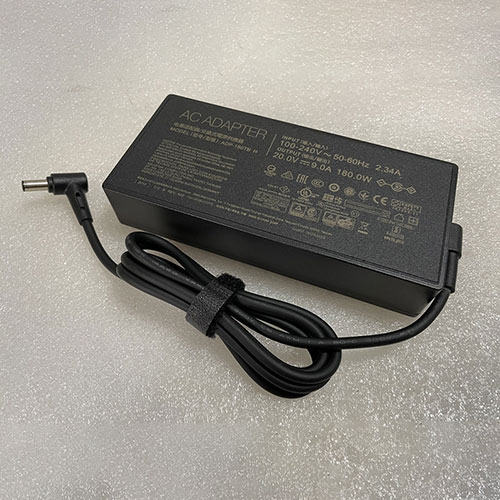
Brand New Replacement ADP-180TBH 20V/9A laptop(adapter) Adapter for ASUS ROG Zephyrus G14

 Get power when you need it with a spare ADP-180TBH AC Power adapter. The ADP-180TBH Power Supply is specially designed for ASUS ROG Zephyrus G14, capable of delivery 180W of power. The ASUS ADP-180TBH adapter is certified by RoHS, CE & FCC for quality and safety. The adapter is protected against overload and short circuit malfunction.This 180W ASUS ADP-180TBH AC Adapter charger guarantees to meet the needs of the original specifications. 180W ASUS ADP-180TBH AC Adapter power supply is exclusively made with the help of top quality materials that provides highest level of safety, reliability, dependability and adaptability.1 Year Warranty,30 Days Money Back!

180W ASUS ADP-180TBH Adapter

Product Description:

Brand : ASUS
Input :100 ~ 240V 50~ 60Hz 2.34A
Output :20V/9A
Output Power: 180W

TOP REASONS TO BUY FROM US

✔ Modern technology with a fast charging speed

✔ High-quality workmanship: A flexible and durable cable

✔ Guaranteed safety: Protection against short-circuits, overheating and excess voltage

✔ Compact, ergonomic design - ideal for travelling

Compatible Part Numbers:

ADP-180TBH

Compatible Models:

ASUS ROG G531GW
ASUS ROG G702VS
ASUS ROG G702VSK
Asus ROG Zephyrus G GA502 GA502DU GA502DU-BR7N6
ASUS ROG GL504GS
ASUS ROG GL504GV
ASUS ROG GL702VS
ASUS ROG Zephyrus M GM501 GM501GM GM501GM-WS74
ASUS ROG Zephyrus GM501GS GM501GS-XS74
ASUS ROG Zephyrus G14
Asus ROG Zephyrus G14 GA401 GA401I GA401II Series

Connector Size :3.7mm X 6.0mm with pin inside
Weight : 1lb 12oz
Item Includes: 1 x AC Adapter & 1 x Power Cord
WARNING: This is 6.0mm*3.7mm with pin inside
Note:
not Compatible 7.4mm*5.0mm with pin
not Compatible 5.5mm*2.5mm with pin

Key Features:

Certified by CE and RoHS industry quality standard.

Limiting the Output of Over Voltage

Limiting the Output of Current

Shut down in Output of Short Circuit

Shut down in Internal Over temperature

High Efficiency and Reliability. This 180W ASUS ADP-180TBH AC Adapter was tested and proven to match and/or exceed original specifications of Toshiba products

Over current protection;Total power protection;Over voltage protection;Short Circuit Protection

Free Shipping,1 Year Warranty,30 Days Money Back!

ASUS ADP-180TBH laptop(adapter) adapter Use Tips :

1 . Please make sure you have order a correct connector.

2 . Plase make sure the DC OUTPUT of ASUS ADP-180TBH laptop(adapter) adapter Connector size are accordant before order.

3 . Do not try to modify or disassemble the ASUS ADP-180TBH.

4 . Do not place ADP-180TBH laptop(adapter) adapter in device for a long period of time if device is not being used.

5 . Do not short circuit the ADP-180TBH ASUS laptop(adapter) adapter terminals while you charging for your laptop(adapter).

Prodotti popolari

Wednesday, 9 December 2020

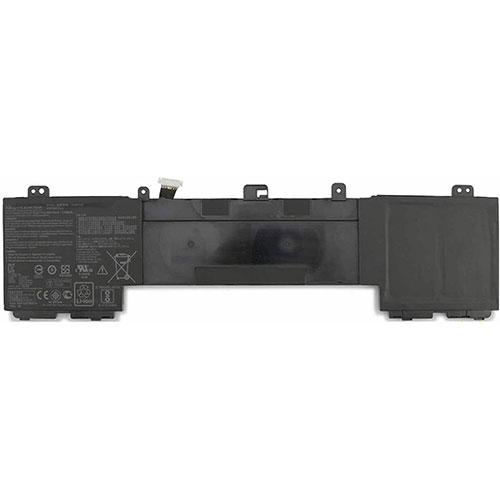
asus C41N1809 15.4V 3700mAh/57Wh Replacement Battery for Asus Zenbook Flip 15 UX562FD UX562FDX UX562FN Q536F

 This is a rechargeable asus 15.4V 3700mAh/57Wh C41N1809 Battery . High quality and long lifetime, this C41N1809 battery lets you work seamlessly when you are on the move for business trips or vacations. All our Li-ion replacement batteries for asus C41N1809 laptop have been tested and proven to match and/or exceed original battery performance and are 100% compatible with Original Manufacturer Specifications. Every piece of our replacement battery for asus C41N1809 has been tested and validated on asus systems to ensure the safety for your Asus Zenbook Flip 15 UX562FD UX562FDX UX562FN Q536F. Increased capacity extends your workable hours at the office, in meetings or classes, or while traveling.

C41N1809 Replacement asus C41N1809 15.4V 3700mAh/57Wh Battery. Buy cheap asus C41N1809 Replacement Battery from batteriestore.co.uk now. We have a strict testing process to ensure that your ordered products (like this battery for asus C41N1809) are functionally correct before they are packed and sent to you. And before placing an order please make sure that your old original asus C41N1809 battery's shape is same to our batteries' images as below. Free shipping and one year warranty!
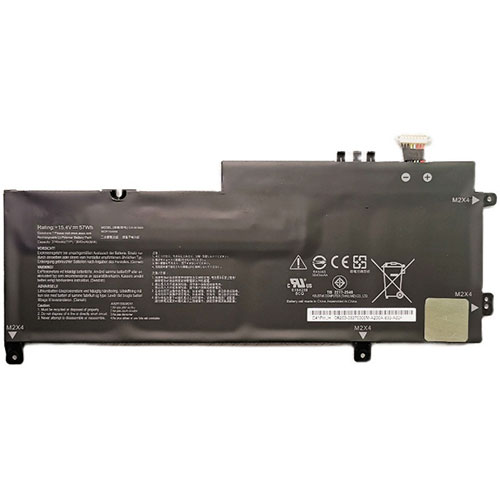
asus C41N1809 15.4V 3700mAh/57Wh Replacement Battery

Product Description:

Type :Li-ion
Brand : asus
Voltage : 15.4V
Capacity :3700mAh/57Wh

TOP REASONS TO BUY FROM US

✔ Quality replacement battery with high Capacity
✔ Longer lifespan - thanks to modern Lithium technology without memory effect.
✔ Guaranteed safety: Protected against Short-circuits, Overheating and Overvoltage
✔ Each cell is separately tested in order to ensure professional standards are met.
✔ 100% compatible in replacing your original battery

Compatible Part Numbers:

C41N1809

Compatibile con i seguenti apparecchi :

Asus
UX562FD-EZ083T, Zenbook Flip 15 UX562FD-A1003T, UX562FDX-A1007R, UX562FD-A1061TS, UX562FDX-A1035T, UX562FD-A1039T, ZenBook Flip 15 UX562FD-A1011T, ZENBOOK FLIP 15 UX562FD-EZ081T, UX562FD-EZ068R, UX562FDX-EZ031T, UX562FD-EZ050R, UX562FD-EZ019T, UX562FDX, UX562FD-EZ078T, UX562FD-EZ022T, UX562FDX-A1030T, UX562FD-EZ012T, UX562FDX-EZ002T, UX562FD-EZ073T, UX562FD-EZ044R, UX562FDX-EZ023R, UX562FD-EZ055R, UX562FDX-A1008T, UX562FD-2G, UX562FD-EZ021T, ZenBook Flip 15 UX562FD-A1004T, ZENBOOK FLIP 15 UX562FDX, UX562FD-EZ058T, UX562FDX-EZ040T, UX562FD-EZ013T, ZENBOOK FLIP 15 UX562FD-EZ078T, ZENBOOK FLIP 15 UX562FD-EZ077T, UX562FD-A1008T, UX562FDX-A1016T, UX562FD-EZ010T, UX562FD-A1018T, UX562FDX-EZ029T, UX562FD-EZ081T, UX562FD-A1017T, UX562FDX-A1005R, UX562FD-A1054T, UX562FDX-EZ015T, Q536FD, UX562FD, Q536FD-BI7T15, UX562, UX562FN

How to care for your C41N1809 battery.

This is the Replacement asus C41N1809 Battery, You can extend the life of your C41N1809 battery significantly through the proper care and handling of your battery.

  • Any new C41N1809 battery should first be fully charged by leaving it plugged in overnight. Once a computer battery is fully charged it will no longer accept any more power. It is a common practice to leave laptops plugged in after they have been turned off so that the battery has a full charge the next time you use your laptop. It is probably fully charged within 5 hours.
  • A brand new C41N1809 laptop battery is in a weakened condition since it has not been conditioned yet. Condition and break in your new battery by performing 5 partial discharge and recharge cycles the first week you receive your new battery.
  • Run on battery power without the AC adapter cord at least once a week to keep the C41N1809 battery cells active and at their peak potential. When your laptop is plugged into the power adapter the battery goes to 'standby mode' while your laptop runs directly on electricity from the wall outlet.
  • Even though your battery indicates it is fully charged, your battery will return to a weakened state again in a few months if it does not get some exercise through partial discharge and recharge cycles while running on battery power alone.
  • If your C41N1809 battery has not been actively used 2 months or more, condition your battery again with 5 partial discharge & recharge cycles to increase the batteries capacity and run time.
  • Don't run your battery all the way to empty. Your battery will have a longer service life if it receives shallow discharge and recharge cycles. Research has shown that the useful life of the battery will be much longer if you begin to recharge the battery any time before reaching 20% of the remaining power capacity. Recharging the C41N1809 battery even after 10 minutes will not reduce the battery's life span as lithium batteries do not have the memory effect which was found in older NiCad battery technology. NiCad batteries have never been used in laptops, even the earliest models.
  • Never run your battery below the 2% critically low warning point. If your battery is run below this point it may not have enough energy to even recharge. This may effectively 'kill' your C41N1809 battery.

How can I extend your battery run time?

You can extend your C41N1809 battery run time by minimizing the power drain on your battery. A 3 cell battery will run approximately 2 to 2-1/2 hours when the battery is new. Even longer times can be achieved by minimizing the power consumption of your laptop. Here are the top ways to reduce your power consumption.

  • Avoid using the CD or DVD drive as the motor consumes a fair amount of power.
  • Turn off your wireless finder if you are not using the internet.
  • Remove any devices plugged into your USB ports or other ports.
  • Close out programs you are not using. By minimizing the load on your CPU, sometimes you can avoid having the cooling fan turn to its high speed mode.
  • Increase your memory to 4 Gigabytes. This creates less work for your hard drive. Data is temporarily written to your hard drive when your memory is not sufficient to hold all the data on the many pages you may be accessing.
  • Reduce the brightness of your laptop screen. This is the number one drain on your battery by far.

Prodotti popolari

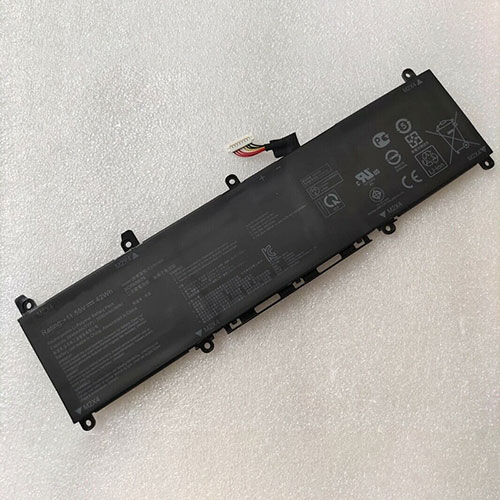
asus C31N1806 11.55V 42Wh Replacement Battery for Asus VivoBook S330FA S330FN S330UA X330FA X330FL X330UA K330 R330 Series

 This is a rechargeable asus 11.55V 42Wh C31N1806 Battery . High quality and long lifetime, this C31N1806 battery lets you work seamlessly when you are on the move for business trips or vacations. All our Li-ion replacement batteries for asus C31N1806 laptop have been tested and proven to match and/or exceed original battery performance and are 100% compatible with Original Manufacturer Specifications. Every piece of our replacement battery for asus C31N1806 has been tested and validated on asus systems to ensure the safety for your Asus VivoBook S330FA S330FN S330UA X330FA X330FL X330UA K330 R330 Series. Increased capacity extends your workable hours at the office, in meetings or classes, or while traveling.

C31N1806 Replacement asus C31N1806 11.55V 42Wh Battery. Buy cheap asus C31N1806 Replacement Battery from batteriestore.co.uk now. We have a strict testing process to ensure that your ordered products (like this battery for asus C31N1806) are functionally correct before they are packed and sent to you. And before placing an order please make sure that your old original asus C31N1806 battery's shape is same to our batteries' images as below. Free shipping and one year warranty!

asus C31N1806 11.55V 42Wh Replacement Battery

Product Description:

Type :Li-ion
Brand : asus
Voltage : 11.55V
Capacity :42Wh

TOP REASONS TO BUY FROM US

✔ Quality replacement battery with high Capacity
✔ Longer lifespan - thanks to modern Lithium technology without memory effect.
✔ Guaranteed safety: Protected against Short-circuits, Overheating and Overvoltage
✔ Each cell is separately tested in order to ensure professional standards are met.
✔ 100% compatible in replacing your original battery

Compatible Part Numbers:

C31N1806

Compatibile con i seguenti apparecchi :

Asus VivoBook S330FA S330FN S330UA X330FA X330FL X330UA K330 R330 Series

How to care for your C31N1806 battery.

This is the Replacement asus C31N1806 Battery, You can extend the life of your C31N1806 battery significantly through the proper care and handling of your battery.

  • Any new C31N1806 battery should first be fully charged by leaving it plugged in overnight. Once a computer battery is fully charged it will no longer accept any more power. It is a common practice to leave laptops plugged in after they have been turned off so that the battery has a full charge the next time you use your laptop. It is probably fully charged within 5 hours.
  • A brand new C31N1806 laptop battery is in a weakened condition since it has not been conditioned yet. Condition and break in your new battery by performing 5 partial discharge and recharge cycles the first week you receive your new battery.
  • Run on battery power without the AC adapter cord at least once a week to keep the C31N1806 battery cells active and at their peak potential. When your laptop is plugged into the power adapter the battery goes to 'standby mode' while your laptop runs directly on electricity from the wall outlet.
  • Even though your battery indicates it is fully charged, your battery will return to a weakened state again in a few months if it does not get some exercise through partial discharge and recharge cycles while running on battery power alone.
  • If your C31N1806 battery has not been actively used 2 months or more, condition your battery again with 5 partial discharge & recharge cycles to increase the batteries capacity and run time.
  • Don't run your battery all the way to empty. Your battery will have a longer service life if it receives shallow discharge and recharge cycles. Research has shown that the useful life of the battery will be much longer if you begin to recharge the battery any time before reaching 20% of the remaining power capacity. Recharging the C31N1806 battery even after 10 minutes will not reduce the battery's life span as lithium batteries do not have the memory effect which was found in older NiCad battery technology. NiCad batteries have never been used in laptops, even the earliest models.
  • Never run your battery below the 2% critically low warning point. If your battery is run below this point it may not have enough energy to even recharge. This may effectively 'kill' your C31N1806 battery.

How can I extend your battery run time?

You can extend your C31N1806 battery run time by minimizing the power drain on your battery. A 3 cell battery will run approximately 2 to 2-1/2 hours when the battery is new. Even longer times can be achieved by minimizing the power consumption of your laptop. Here are the top ways to reduce your power consumption.

  • Avoid using the CD or DVD drive as the motor consumes a fair amount of power.
  • Turn off your wireless finder if you are not using the internet.
  • Remove any devices plugged into your USB ports or other ports.
  • Close out programs you are not using. By minimizing the load on your CPU, sometimes you can avoid having the cooling fan turn to its high speed mode.
  • Increase your memory to 4 Gigabytes. This creates less work for your hard drive. Data is temporarily written to your hard drive when your memory is not sufficient to hold all the data on the many pages you may be accessing.
  • Reduce the brightness of your laptop screen. This is the number one drain on your battery by far.

Prodotti popolari

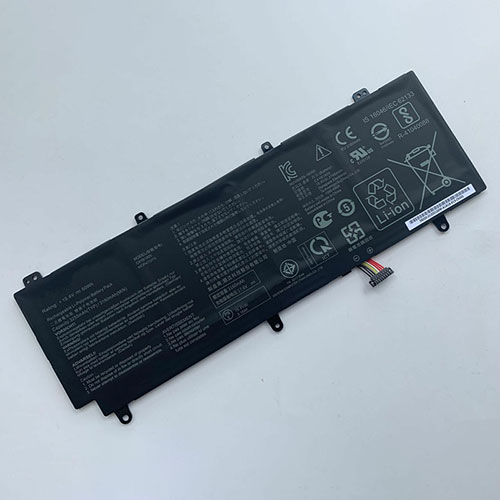
asus C41N1805 15.4Wh 50Wh Replacement Battery for ASUS ROG Zephyrus S GX531 GX531GM GX531GS GX531GX

 This is a rechargeable asus 15.4Wh 50Wh C41N1805 Battery . High quality and long lifetime, this C41N1805 battery lets you work seamlessly when you are on the move for business trips or vacations. All our Li-ion replacement batteries for asus C41N1805 laptop have been tested and proven to match and/or exceed original battery performance and are 100% compatible with Original Manufacturer Specifications. Every piece of our replacement battery for asus C41N1805 has been tested and validated on asus systems to ensure the safety for your ASUS ROG Zephyrus S GX531 GX531GM GX531GS GX531GX. Increased capacity extends your workable hours at the office, in meetings or classes, or while traveling.

C41N1805 Replacement asus C41N1805 15.4Wh 50Wh Battery. Buy cheap asus C41N1805 Replacement Battery from batteriestore.co.uk now. We have a strict testing process to ensure that your ordered products (like this battery for asus C41N1805) are functionally correct before they are packed and sent to you. And before placing an order please make sure that your old original asus C41N1805 battery's shape is same to our batteries' images as below. Free shipping and one year warranty!

asus C41N1805 15.4Wh 50Wh Replacement Battery

Product Description:

Type :Li-ion
Brand : asus
Voltage : 15.4Wh
Capacity :50Wh

TOP REASONS TO BUY FROM US

✔ Quality replacement battery with high Capacity
✔ Longer lifespan - thanks to modern Lithium technology without memory effect.
✔ Guaranteed safety: Protected against Short-circuits, Overheating and Overvoltage
✔ Each cell is separately tested in order to ensure professional standards are met.
✔ 100% compatible in replacing your original battery

Compatible Part Numbers:

0B200-03020000

C41N1805

Compatibile con i seguenti apparecchi :

ASUS ROG ZEPHYRUS S GX531 GX531GM GX531GS GX531GX GAMING Series Laptop

How to care for your C41N1805 battery.

This is the Replacement asus C41N1805 Battery, You can extend the life of your C41N1805 battery significantly through the proper care and handling of your battery.

  • Any new C41N1805 battery should first be fully charged by leaving it plugged in overnight. Once a computer battery is fully charged it will no longer accept any more power. It is a common practice to leave laptops plugged in after they have been turned off so that the battery has a full charge the next time you use your laptop. It is probably fully charged within 5 hours.
  • A brand new C41N1805 laptop battery is in a weakened condition since it has not been conditioned yet. Condition and break in your new battery by performing 5 partial discharge and recharge cycles the first week you receive your new battery.
  • Run on battery power without the AC adapter cord at least once a week to keep the C41N1805 battery cells active and at their peak potential. When your laptop is plugged into the power adapter the battery goes to 'standby mode' while your laptop runs directly on electricity from the wall outlet.
  • Even though your battery indicates it is fully charged, your battery will return to a weakened state again in a few months if it does not get some exercise through partial discharge and recharge cycles while running on battery power alone.
  • If your C41N1805 battery has not been actively used 2 months or more, condition your battery again with 5 partial discharge & recharge cycles to increase the batteries capacity and run time.
  • Don't run your battery all the way to empty. Your battery will have a longer service life if it receives shallow discharge and recharge cycles. Research has shown that the useful life of the battery will be much longer if you begin to recharge the battery any time before reaching 20% of the remaining power capacity. Recharging the C41N1805 battery even after 10 minutes will not reduce the battery's life span as lithium batteries do not have the memory effect which was found in older NiCad battery technology. NiCad batteries have never been used in laptops, even the earliest models.
  • Never run your battery below the 2% critically low warning point. If your battery is run below this point it may not have enough energy to even recharge. This may effectively 'kill' your C41N1805 battery.

How can I extend your battery run time?

You can extend your C41N1805 battery run time by minimizing the power drain on your battery. A 3 cell battery will run approximately 2 to 2-1/2 hours when the battery is new. Even longer times can be achieved by minimizing the power consumption of your laptop. Here are the top ways to reduce your power consumption.

  • Avoid using the CD or DVD drive as the motor consumes a fair amount of power.
  • Turn off your wireless finder if you are not using the internet.
  • Remove any devices plugged into your USB ports or other ports.
  • Close out programs you are not using. By minimizing the load on your CPU, sometimes you can avoid having the cooling fan turn to its high speed mode.
  • Increase your memory to 4 Gigabytes. This creates less work for your hard drive. Data is temporarily written to your hard drive when your memory is not sufficient to hold all the data on the many pages you may be accessing.
  • Reduce the brightness of your laptop screen. This is the number one drain on your battery by far.

Prodotti popolari

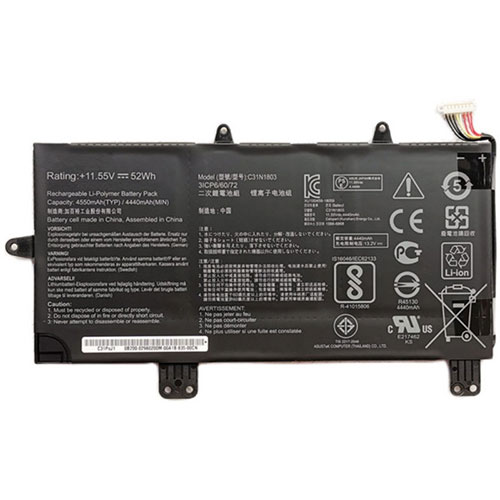
asus C31N1803 11.55V 52Wh/4550mAh Replacement Battery for Asus ZenBook Pro 14 UX480 UX480FD UX450FD series

 This is a rechargeable asus 11.55V 52Wh/4550mAh C31N1803 Battery . High quality and long lifetime, this C31N1803 battery lets you work seamlessly when you are on the move for business trips or vacations. All our Li-ion replacement batteries for asus C31N1803 laptop have been tested and proven to match and/or exceed original battery performance and are 100% compatible with Original Manufacturer Specifications. Every piece of our replacement battery for asus C31N1803 has been tested and validated on asus systems to ensure the safety for your Asus ZenBook Pro 14 UX480 UX480FD UX450FD series. Increased capacity extends your workable hours at the office, in meetings or classes, or while traveling.

C31N1803 Replacement asus C31N1803 11.55V 52Wh/4550mAh Battery. Buy cheap asus C31N1803 Replacement Battery from batteriestore.co.uk now. We have a strict testing process to ensure that your ordered products (like this battery for asus C31N1803) are functionally correct before they are packed and sent to you. And before placing an order please make sure that your old original asus C31N1803 battery's shape is same to our batteries' images as below. Free shipping and one year warranty!

asus C31N1803 11.55V 52Wh/4550mAh Replacement Battery

Product Description:

Type :Li-ion
Brand : asus
Voltage : 11.55V
Capacity :52Wh/4550mAh

TOP REASONS TO BUY FROM US

✔ Quality replacement battery with high Capacity
✔ Longer lifespan - thanks to modern Lithium technology without memory effect.
✔ Guaranteed safety: Protected against Short-circuits, Overheating and Overvoltage
✔ Each cell is separately tested in order to ensure professional standards are met.
✔ 100% compatible in replacing your original battery

Compatible Part Numbers:

C31N1803

Compatibile con i seguenti apparecchi :

Asus ZenBook Pro 14 UX480 UX480FD UX450FD series

How to care for your C31N1803 battery.

This is the Replacement asus C31N1803 Battery, You can extend the life of your C31N1803 battery significantly through the proper care and handling of your battery.

  • Any new C31N1803 battery should first be fully charged by leaving it plugged in overnight. Once a computer battery is fully charged it will no longer accept any more power. It is a common practice to leave laptops plugged in after they have been turned off so that the battery has a full charge the next time you use your laptop. It is probably fully charged within 5 hours.
  • A brand new C31N1803 laptop battery is in a weakened condition since it has not been conditioned yet. Condition and break in your new battery by performing 5 partial discharge and recharge cycles the first week you receive your new battery.
  • Run on battery power without the AC adapter cord at least once a week to keep the C31N1803 battery cells active and at their peak potential. When your laptop is plugged into the power adapter the battery goes to 'standby mode' while your laptop runs directly on electricity from the wall outlet.
  • Even though your battery indicates it is fully charged, your battery will return to a weakened state again in a few months if it does not get some exercise through partial discharge and recharge cycles while running on battery power alone.
  • If your C31N1803 battery has not been actively used 2 months or more, condition your battery again with 5 partial discharge & recharge cycles to increase the batteries capacity and run time.
  • Don't run your battery all the way to empty. Your battery will have a longer service life if it receives shallow discharge and recharge cycles. Research has shown that the useful life of the battery will be much longer if you begin to recharge the battery any time before reaching 20% of the remaining power capacity. Recharging the C31N1803 battery even after 10 minutes will not reduce the battery's life span as lithium batteries do not have the memory effect which was found in older NiCad battery technology. NiCad batteries have never been used in laptops, even the earliest models.
  • Never run your battery below the 2% critically low warning point. If your battery is run below this point it may not have enough energy to even recharge. This may effectively 'kill' your C31N1803 battery.

How can I extend your battery run time?

You can extend your C31N1803 battery run time by minimizing the power drain on your battery. A 3 cell battery will run approximately 2 to 2-1/2 hours when the battery is new. Even longer times can be achieved by minimizing the power consumption of your laptop. Here are the top ways to reduce your power consumption.

  • Avoid using the CD or DVD drive as the motor consumes a fair amount of power.
  • Turn off your wireless finder if you are not using the internet.
  • Remove any devices plugged into your USB ports or other ports.
  • Close out programs you are not using. By minimizing the load on your CPU, sometimes you can avoid having the cooling fan turn to its high speed mode.
  • Increase your memory to 4 Gigabytes. This creates less work for your hard drive. Data is temporarily written to your hard drive when your memory is not sufficient to hold all the data on the many pages you may be accessing.
  • Reduce the brightness of your laptop screen. This is the number one drain on your battery by far.

Prodotti popolari

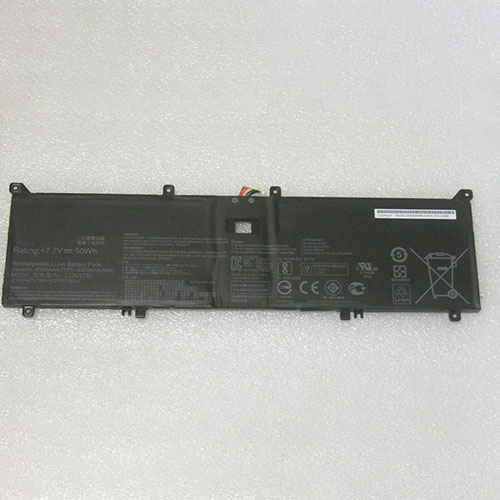
asus C22N1720 7.7V 6500mAH/50Wh Replacement Battery for Asus ZenBook S UX391 UX391U UX391UA

 This is a rechargeable asus 7.7V 6500mAH/50Wh C22N1720 Battery . High quality and long lifetime, this C22N1720 battery lets you work seamlessly when you are on the move for business trips or vacations. All our Li-ion replacement batteries for asus C22N1720 laptop have been tested and proven to match and/or exceed original battery performance and are 100% compatible with Original Manufacturer Specifications. Every piece of our replacement battery for asus C22N1720 has been tested and validated on asus systems to ensure the safety for your Asus ZenBook S UX391 UX391U UX391UA. Increased capacity extends your workable hours at the office, in meetings or classes, or while traveling.

C22N1720 Replacement asus C22N1720 7.7V 6500mAH/50Wh Battery. Buy cheap asus C22N1720 Replacement Battery from batteriestore.co.uk now. We have a strict testing process to ensure that your ordered products (like this battery for asus C22N1720) are functionally correct before they are packed and sent to you. And before placing an order please make sure that your old original asus C22N1720 battery's shape is same to our batteries' images as below. Free shipping and one year warranty!

asus C22N1720 7.7V 6500mAH/50Wh Replacement Battery

Product Description:

Type :Li-ion
Brand : asus
Voltage : 7.7V
Capacity :6500mAH/50Wh

TOP REASONS TO BUY FROM US

✔ Quality replacement battery with high Capacity
✔ Longer lifespan - thanks to modern Lithium technology without memory effect.
✔ Guaranteed safety: Protected against Short-circuits, Overheating and Overvoltage
✔ Each cell is separately tested in order to ensure professional standards are met.
✔ 100% compatible in replacing your original battery

Compatible Part Numbers:

C22N1720

C22PYJH

Compatibile con i seguenti apparecchi :

Asus ZenBook S UX391
Asus ZenBook S UX391U
Asus ZenBook S UX391UA
Asus ZenBook S UX391UA-xb71
Asus ZenBook S UX391UA-xb74t

How to care for your C22N1720 battery.

This is the Replacement asus C22N1720 Battery, You can extend the life of your C22N1720 battery significantly through the proper care and handling of your battery.

  • Any new C22N1720 battery should first be fully charged by leaving it plugged in overnight. Once a computer battery is fully charged it will no longer accept any more power. It is a common practice to leave laptops plugged in after they have been turned off so that the battery has a full charge the next time you use your laptop. It is probably fully charged within 5 hours.
  • A brand new C22N1720 laptop battery is in a weakened condition since it has not been conditioned yet. Condition and break in your new battery by performing 5 partial discharge and recharge cycles the first week you receive your new battery.
  • Run on battery power without the AC adapter cord at least once a week to keep the C22N1720 battery cells active and at their peak potential. When your laptop is plugged into the power adapter the battery goes to 'standby mode' while your laptop runs directly on electricity from the wall outlet.
  • Even though your battery indicates it is fully charged, your battery will return to a weakened state again in a few months if it does not get some exercise through partial discharge and recharge cycles while running on battery power alone.
  • If your C22N1720 battery has not been actively used 2 months or more, condition your battery again with 5 partial discharge & recharge cycles to increase the batteries capacity and run time.
  • Don't run your battery all the way to empty. Your battery will have a longer service life if it receives shallow discharge and recharge cycles. Research has shown that the useful life of the battery will be much longer if you begin to recharge the battery any time before reaching 20% of the remaining power capacity. Recharging the C22N1720 battery even after 10 minutes will not reduce the battery's life span as lithium batteries do not have the memory effect which was found in older NiCad battery technology. NiCad batteries have never been used in laptops, even the earliest models.
  • Never run your battery below the 2% critically low warning point. If your battery is run below this point it may not have enough energy to even recharge. This may effectively 'kill' your C22N1720 battery.

How can I extend your battery run time?

You can extend your C22N1720 battery run time by minimizing the power drain on your battery. A 3 cell battery will run approximately 2 to 2-1/2 hours when the battery is new. Even longer times can be achieved by minimizing the power consumption of your laptop. Here are the top ways to reduce your power consumption.

  • Avoid using the CD or DVD drive as the motor consumes a fair amount of power.
  • Turn off your wireless finder if you are not using the internet.
  • Remove any devices plugged into your USB ports or other ports.
  • Close out programs you are not using. By minimizing the load on your CPU, sometimes you can avoid having the cooling fan turn to its high speed mode.
  • Increase your memory to 4 Gigabytes. This creates less work for your hard drive. Data is temporarily written to your hard drive when your memory is not sufficient to hold all the data on the many pages you may be accessing.
  • Reduce the brightness of your laptop screen. This is the number one drain on your battery by far.

Prodotti popolari

Tuesday, 8 December 2020

asus C42N1630 15.4V 73Wh Replacement Battery for ASUS Zenbook Pro UX550 UX550VD UX550VE Series

 This is a rechargeable asus 15.4V 73Wh C42N1630 Battery . High quality and long lifetime, this C42N1630 battery lets you work seamlessly when you are on the move for business trips or vacations. All our Li-ion replacement batteries for asus C42N1630 laptop have been tested and proven to match and/or exceed original battery performance and are 100% compatible with Original Manufacturer Specifications. Every piece of our replacement battery for asus C42N1630 has been tested and validated on asus systems to ensure the safety for your ASUS Zenbook Pro UX550 UX550VD UX550VE Series. Increased capacity extends your workable hours at the office, in meetings or classes, or while traveling.

C42N1630 Replacement asus C42N1630 15.4V 73Wh Battery. Buy cheap asus C42N1630 Replacement Battery from batteriestore.co.uk now. We have a strict testing process to ensure that your ordered products (like this battery for asus C42N1630) are functionally correct before they are packed and sent to you. And before placing an order please make sure that your old original asus C42N1630 battery's shape is same to our batteries' images as below. Free shipping and one year warranty!

asus C42N1630 15.4V 73Wh Replacement Battery

Product Description:

Type :Li-ion
Brand : asus
Voltage : 15.4V
Capacity :73Wh

TOP REASONS TO BUY FROM US

✔ Quality replacement battery with high Capacity
✔ Longer lifespan - thanks to modern Lithium technology without memory effect.
✔ Guaranteed safety: Protected against Short-circuits, Overheating and Overvoltage
✔ Each cell is separately tested in order to ensure professional standards are met.
✔ 100% compatible in replacing your original battery

Compatible Part Numbers:

C42N1630

Compatibile con i seguenti apparecchi :

Asus Zenbook Pro UX550 UX550VD UX550VE Series

How to care for your C42N1630 battery.

This is the Replacement asus C42N1630 Battery, You can extend the life of your C42N1630 battery significantly through the proper care and handling of your battery.

  • Any new C42N1630 battery should first be fully charged by leaving it plugged in overnight. Once a computer battery is fully charged it will no longer accept any more power. It is a common practice to leave laptops plugged in after they have been turned off so that the battery has a full charge the next time you use your laptop. It is probably fully charged within 5 hours.
  • A brand new C42N1630 laptop battery is in a weakened condition since it has not been conditioned yet. Condition and break in your new battery by performing 5 partial discharge and recharge cycles the first week you receive your new battery.
  • Run on battery power without the AC adapter cord at least once a week to keep the C42N1630 battery cells active and at their peak potential. When your laptop is plugged into the power adapter the battery goes to 'standby mode' while your laptop runs directly on electricity from the wall outlet.
  • Even though your battery indicates it is fully charged, your battery will return to a weakened state again in a few months if it does not get some exercise through partial discharge and recharge cycles while running on battery power alone.
  • If your C42N1630 battery has not been actively used 2 months or more, condition your battery again with 5 partial discharge & recharge cycles to increase the batteries capacity and run time.
  • Don't run your battery all the way to empty. Your battery will have a longer service life if it receives shallow discharge and recharge cycles. Research has shown that the useful life of the battery will be much longer if you begin to recharge the battery any time before reaching 20% of the remaining power capacity. Recharging the C42N1630 battery even after 10 minutes will not reduce the battery's life span as lithium batteries do not have the memory effect which was found in older NiCad battery technology. NiCad batteries have never been used in laptops, even the earliest models.
  • Never run your battery below the 2% critically low warning point. If your battery is run below this point it may not have enough energy to even recharge. This may effectively 'kill' your C42N1630 battery.

How can I extend your battery run time?

You can extend your C42N1630 battery run time by minimizing the power drain on your battery. A 3 cell battery will run approximately 2 to 2-1/2 hours when the battery is new. Even longer times can be achieved by minimizing the power consumption of your laptop. Here are the top ways to reduce your power consumption.

  • Avoid using the CD or DVD drive as the motor consumes a fair amount of power.
  • Turn off your wireless finder if you are not using the internet.
  • Remove any devices plugged into your USB ports or other ports.
  • Close out programs you are not using. By minimizing the load on your CPU, sometimes you can avoid having the cooling fan turn to its high speed mode.
  • Increase your memory to 4 Gigabytes. This creates less work for your hard drive. Data is temporarily written to your hard drive when your memory is not sufficient to hold all the data on the many pages you may be accessing.
  • Reduce the brightness of your laptop screen. This is the number one drain on your battery by far.

Prodotti popolari

Wednesday, 2 December 2020

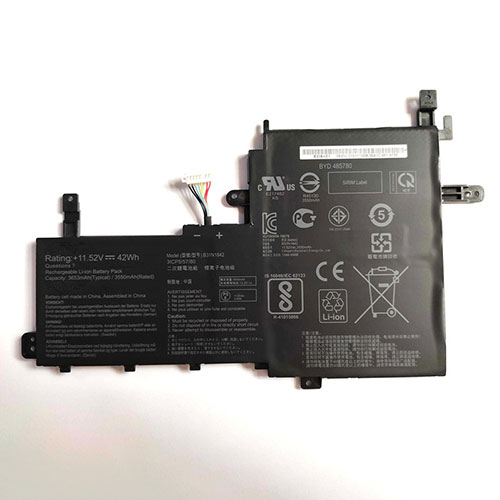
asus B31N1842 11.52V 42Wh Replacement Battery for ASUS S531FA V531FL V531FA X531FA S531FL

 This is a rechargeable asus 11.52V 42Wh B31N1842 Battery . High quality and long lifetime, this B31N1842 battery lets you work seamlessly when you are on the move for business trips or vacations. All our Li-ion replacement batteries for asus B31N1842 laptop have been tested and proven to match and/or exceed original battery performance and are 100% compatible with Original Manufacturer Specifications. Every piece of our replacement battery for asus B31N1842 has been tested and validated on asus systems to ensure the safety for your ASUS S531FA V531FL V531FA X531FA S531FL. Increased capacity extends your workable hours at the office, in meetings or classes, or while traveling.

B31N1842 Replacement asus B31N1842 11.52V 42Wh Battery. Buy cheap asus B31N1842 Replacement Battery from batteriestore.co.uk now. We have a strict testing process to ensure that your ordered products (like this battery for asus B31N1842) are functionally correct before they are packed and sent to you. And before placing an order please make sure that your old original asus B31N1842 battery's shape is same to our batteries' images as below. Free shipping and one year warranty!

asus B31N1842 11.52V 42Wh Replacement Battery

Product Description:

Type :Li-ion
Brand : asus
Voltage : 11.52V
Capacity :42Wh

TOP REASONS TO BUY FROM US

✔ Quality replacement battery with high Capacity
✔ Longer lifespan - thanks to modern Lithium technology without memory effect.
✔ Guaranteed safety: Protected against Short-circuits, Overheating and Overvoltage
✔ Each cell is separately tested in order to ensure professional standards are met.
✔ 100% compatible in replacing your original battery

Compatible Part Numbers:

B31N1842

Compatibile con i seguenti apparecchi :

ASUS S531FA V531FL V531FA X531FA S531FL

How to care for your B31N1842 battery.

This is the Replacement asus B31N1842 Battery, You can extend the life of your B31N1842 battery significantly through the proper care and handling of your battery.

  • Any new B31N1842 battery should first be fully charged by leaving it plugged in overnight. Once a computer battery is fully charged it will no longer accept any more power. It is a common practice to leave laptops plugged in after they have been turned off so that the battery has a full charge the next time you use your laptop. It is probably fully charged within 5 hours.
  • A brand new B31N1842 laptop battery is in a weakened condition since it has not been conditioned yet. Condition and break in your new battery by performing 5 partial discharge and recharge cycles the first week you receive your new battery.
  • Run on battery power without the AC adapter cord at least once a week to keep the B31N1842 battery cells active and at their peak potential. When your laptop is plugged into the power adapter the battery goes to 'standby mode' while your laptop runs directly on electricity from the wall outlet.
  • Even though your battery indicates it is fully charged, your battery will return to a weakened state again in a few months if it does not get some exercise through partial discharge and recharge cycles while running on battery power alone.
  • If your B31N1842 battery has not been actively used 2 months or more, condition your battery again with 5 partial discharge & recharge cycles to increase the batteries capacity and run time.
  • Don't run your battery all the way to empty. Your battery will have a longer service life if it receives shallow discharge and recharge cycles. Research has shown that the useful life of the battery will be much longer if you begin to recharge the battery any time before reaching 20% of the remaining power capacity. Recharging the B31N1842 battery even after 10 minutes will not reduce the battery's life span as lithium batteries do not have the memory effect which was found in older NiCad battery technology. NiCad batteries have never been used in laptops, even the earliest models.
  • Never run your battery below the 2% critically low warning point. If your battery is run below this point it may not have enough energy to even recharge. This may effectively 'kill' your B31N1842 battery.

How can I extend your battery run time?

You can extend your B31N1842 battery run time by minimizing the power drain on your battery. A 3 cell battery will run approximately 2 to 2-1/2 hours when the battery is new. Even longer times can be achieved by minimizing the power consumption of your laptop. Here are the top ways to reduce your power consumption.

  • Avoid using the CD or DVD drive as the motor consumes a fair amount of power.
  • Turn off your wireless finder if you are not using the internet.
  • Remove any devices plugged into your USB ports or other ports.
  • Close out programs you are not using. By minimizing the load on your CPU, sometimes you can avoid having the cooling fan turn to its high speed mode.
  • Increase your memory to 4 Gigabytes. This creates less work for your hard drive. Data is temporarily written to your hard drive when your memory is not sufficient to hold all the data on the many pages you may be accessing.
  • Reduce the brightness of your laptop screen. This is the number one drain on your battery by far.

Prodotti popolari

Sunday, 15 November 2020

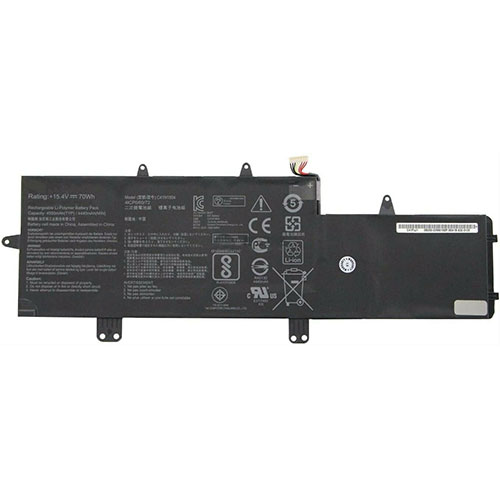
asus C41N1804 15.4V 70WH/4550mAh Replacement Battery for ASUS ZenBook Pro 14 UX450 UX450FD UX480 UX480FD

 This is a rechargeable asus 15.4V 70WH/4550mAh C41N1804 Battery . High quality and long lifetime, this C41N1804 battery lets you work seamlessly when you are on the move for business trips or vacations. All our Li-ion replacement batteries for asus C41N1804 laptop have been tested and proven to match and/or exceed original battery performance and are 100% compatible with Original Manufacturer Specifications. Every piece of our replacement battery for asus C41N1804 has been tested and validated on asus systems to ensure the safety for your ASUS ZenBook Pro 14 UX450 UX450FD UX480 UX480FD. Increased capacity extends your workable hours at the office, in meetings or classes, or while traveling.

C41N1804 Replacement asus C41N1804 15.4V 70WH/4550mAh Battery. Buy cheap asus C41N1804 Replacement Battery from batteriestore.co.uk now. We have a strict testing process to ensure that your ordered products (like this battery for asus C41N1804) are functionally correct before they are packed and sent to you. And before placing an order please make sure that your old original asus C41N1804 battery's shape is same to our batteries' images as below. Free shipping and one year warranty!

asus C41N1804 15.4V 70WH/4550mAh Replacement Battery

Product Description:

Type :Li-ion
Brand : asus
Voltage : 15.4V
Capacity :70WH/4550mAh

TOP REASONS TO BUY FROM US

✔ Quality replacement battery with high Capacity
✔ Longer lifespan - thanks to modern Lithium technology without memory effect.
✔ Guaranteed safety: Protected against Short-circuits, Overheating and Overvoltage
✔ Each cell is separately tested in order to ensure professional standards are met.
✔ 100% compatible in replacing your original battery

Compatible Part Numbers:

C41N1804

0B200-02980100

Compatibile con i seguenti apparecchi :

ASUS ZenBook Pro 14 UX450 UX450FD UX480 UX480FD Series

How to care for your C41N1804 battery.

This is the Replacement asus C41N1804 Battery, You can extend the life of your C41N1804 battery significantly through the proper care and handling of your battery.

  • Any new C41N1804 battery should first be fully charged by leaving it plugged in overnight. Once a computer battery is fully charged it will no longer accept any more power. It is a common practice to leave laptops plugged in after they have been turned off so that the battery has a full charge the next time you use your laptop. It is probably fully charged within 5 hours.
  • A brand new C41N1804 laptop battery is in a weakened condition since it has not been conditioned yet. Condition and break in your new battery by performing 5 partial discharge and recharge cycles the first week you receive your new battery.
  • Run on battery power without the AC adapter cord at least once a week to keep the C41N1804 battery cells active and at their peak potential. When your laptop is plugged into the power adapter the battery goes to 'standby mode' while your laptop runs directly on electricity from the wall outlet.
  • Even though your battery indicates it is fully charged, your battery will return to a weakened state again in a few months if it does not get some exercise through partial discharge and recharge cycles while running on battery power alone.
  • If your C41N1804 battery has not been actively used 2 months or more, condition your battery again with 5 partial discharge & recharge cycles to increase the batteries capacity and run time.
  • Don't run your battery all the way to empty. Your battery will have a longer service life if it receives shallow discharge and recharge cycles. Research has shown that the useful life of the battery will be much longer if you begin to recharge the battery any time before reaching 20% of the remaining power capacity. Recharging the C41N1804 battery even after 10 minutes will not reduce the battery's life span as lithium batteries do not have the memory effect which was found in older NiCad battery technology. NiCad batteries have never been used in laptops, even the earliest models.
  • Never run your battery below the 2% critically low warning point. If your battery is run below this point it may not have enough energy to even recharge. This may effectively 'kill' your C41N1804 battery.

How can I extend your battery run time?

You can extend your C41N1804 battery run time by minimizing the power drain on your battery. A 3 cell battery will run approximately 2 to 2-1/2 hours when the battery is new. Even longer times can be achieved by minimizing the power consumption of your laptop. Here are the top ways to reduce your power consumption.

  • Avoid using the CD or DVD drive as the motor consumes a fair amount of power.
  • Turn off your wireless finder if you are not using the internet.
  • Remove any devices plugged into your USB ports or other ports.
  • Close out programs you are not using. By minimizing the load on your CPU, sometimes you can avoid having the cooling fan turn to its high speed mode.
  • Increase your memory to 4 Gigabytes. This creates less work for your hard drive. Data is temporarily written to your hard drive when your memory is not sufficient to hold all the data on the many pages you may be accessing.
  • Reduce the brightness of your laptop screen. This is the number one drain on your battery by far.

Prodotti popolari

Tuesday, 27 October 2020

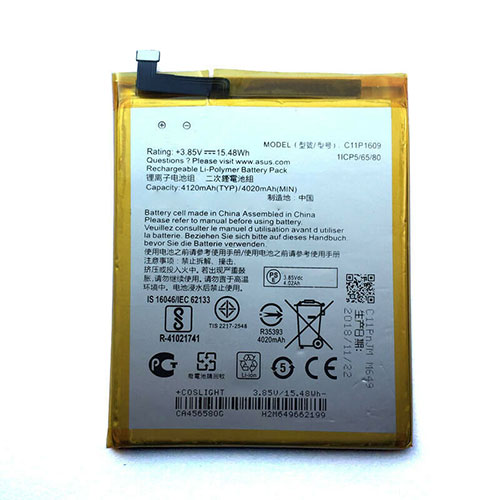
ASUS C11P1609 3.85V/4.4V 4020mAh/15.48WH Replacement Battery for ASUS ZenFone 3 Max ZC553KL X00DDA

 This is a rechargeable ASUS 3.85V/4.4V 4020mAh/15.48WH C11P1609 Battery . High quality and long lifetime, this C11P1609 battery lets you work seamlessly when you are on the move for business trips or vacations. All our Li-ion replacement batteries for ASUS C11P1609 Cell Phone have been tested and proven to match and/or exceed original battery performance and are 100% compatible with Original Manufacturer Specifications. Every piece of our replacement battery for ASUS C11P1609 has been tested and validated on ASUS systems to ensure the safety for your ASUS ZenFone 3 Max ZC553KL X00DDA. Increased capacity extends your workable hours at the office, in meetings or classes, or while traveling.

C11P1609 Replacement ASUS C11P1609 3.85V/4.4V 4020mAh/15.48WH Battery. Buy cheap ASUS C11P1609 Replacement Battery from batteriestore.co.uk now. We have a strict testing process to ensure that your ordered products (like this battery for ASUS C11P1609) are functionally correct before they are packed and sent to you. And before placing an order please make sure that your old original ASUS C11P1609 battery's shape is same to our batteries' images as below. Free shipping and one year warranty!

ASUS C11P1609 3.85V/4.4V 4020mAh/15.48WH Replacement Battery

Product Description:

Type :Li-ion
Brand : ASUS
Voltage : 3.85V/4.4V
Capacity :4020mAh/15.48WH

TOP REASONS TO BUY FROM US

✔ Quality replacement battery with high Capacity
✔ Longer lifespan - thanks to modern Lithium technology without memory effect.
✔ Guaranteed safety: Protected against Short-circuits, Overheating and Overvoltage
✔ Each cell is separately tested in order to ensure professional standards are met.
✔ 100% compatible in replacing your original battery

Compatible Part Numbers:

C11P1609

Compatibile con i seguenti apparecchi :

ASUS ZenFone 3 Max ZC553KL X00DDA

How to care for your C11P1609 battery.

This is the Replacement ASUS C11P1609 Battery, You can extend the life of your C11P1609 battery significantly through the proper care and handling of your battery.

  • Any new C11P1609 battery should first be fully charged by leaving it plugged in overnight. Once a computer battery is fully charged it will no longer accept any more power. It is a common practice to leave Cell Phones plugged in after they have been turned off so that the battery has a full charge the next time you use your Cell Phone. It is probably fully charged within 5 hours.
  • A brand new C11P1609 Cell Phone battery is in a weakened condition since it has not been conditioned yet. Condition and break in your new battery by performing 5 partial discharge and recharge cycles the first week you receive your new battery.
  • Run on battery power without the AC adapter cord at least once a week to keep the C11P1609 battery cells active and at their peak potential. When your Cell Phone is plugged into the power adapter the battery goes to 'standby mode' while your Cell Phone runs directly on electricity from the wall outlet.
  • Even though your battery indicates it is fully charged, your battery will return to a weakened state again in a few months if it does not get some exercise through partial discharge and recharge cycles while running on battery power alone.
  • If your C11P1609 battery has not been actively used 2 months or more, condition your battery again with 5 partial discharge & recharge cycles to increase the batteries capacity and run time.
  • Don't run your battery all the way to empty. Your battery will have a longer service life if it receives shallow discharge and recharge cycles. Research has shown that the useful life of the battery will be much longer if you begin to recharge the battery any time before reaching 20% of the remaining power capacity. Recharging the C11P1609 battery even after 10 minutes will not reduce the battery's life span as lithium batteries do not have the memory effect which was found in older NiCad battery technology. NiCad batteries have never been used in Cell Phones, even the earliest models.
  • Never run your battery below the 2% critically low warning point. If your battery is run below this point it may not have enough energy to even recharge. This may effectively 'kill' your C11P1609 battery.

How can I extend your battery run time?

You can extend your C11P1609 battery run time by minimizing the power drain on your battery. A 3 cell battery will run approximately 2 to 2-1/2 hours when the battery is new. Even longer times can be achieved by minimizing the power consumption of your laptop. Here are the top ways to reduce your power consumption.

  • Avoid using the CD or DVD drive as the motor consumes a fair amount of power.
  • Turn off your wireless finder if you are not using the internet.
  • Remove any devices plugged into your USB ports or other ports.
  • Close out programs you are not using. By minimizing the load on your CPU, sometimes you can avoid having the cooling fan turn to its high speed mode.
  • Increase your memory to 4 Gigabytes. This creates less work for your hard drive. Data is temporarily written to your hard drive when your memory is not sufficient to hold all the data on the many pages you may be accessing.
  • Reduce the brightness of your laptop screen. This is the number one drain on your battery by far.

Prodotti popolari

Monday, 12 October 2020

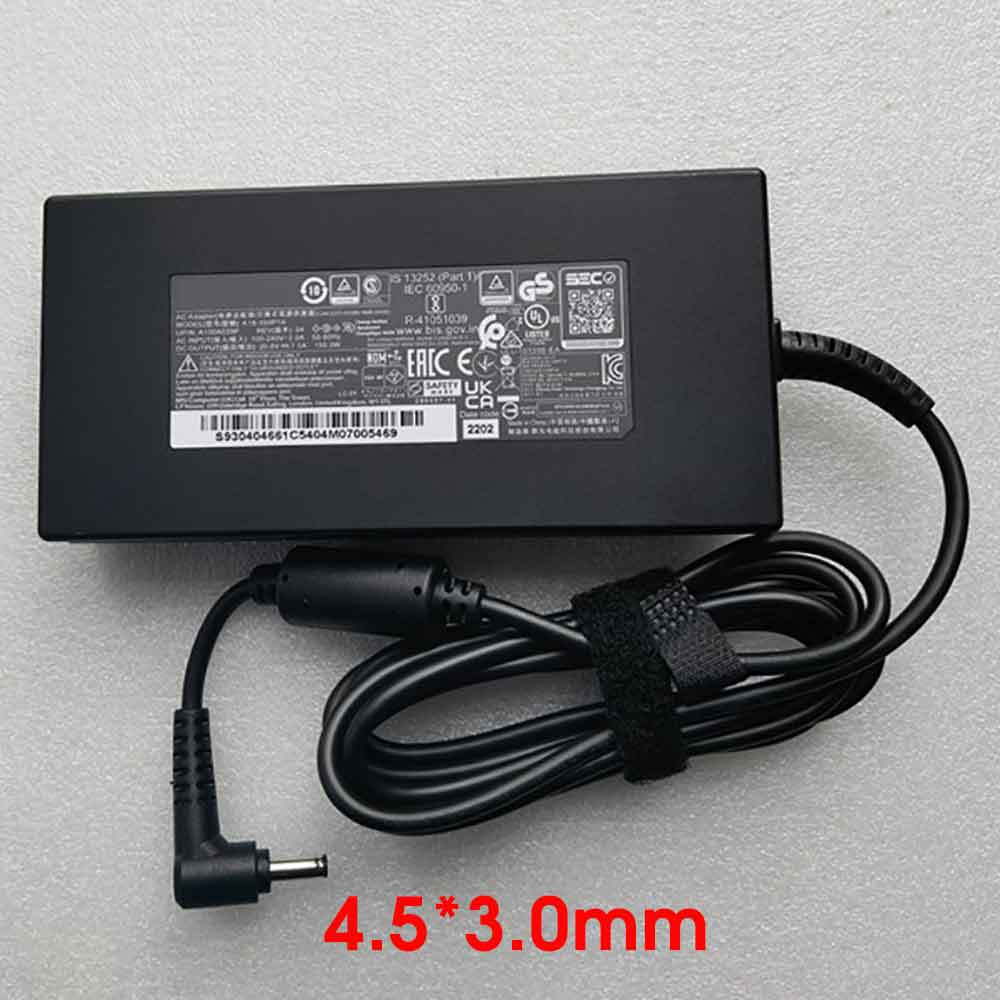
Brand New Replacement A18-150P1A 20V 7.5A 150W laptop(adapter) Adapter for ASUS G501JW UX501J VX60G G60V W6700 J4720

 Get power when you need it with a spare A18-150P1A AC Power adapter. The A18-150P1A Power Supply is specially designed for ASUS G501JW UX501J VX60G G60V W6700 J4720, capable of delivery 150W of power. The ASUS A18-150P1A adapter is certified by RoHS, CE & FCC for quality and safety. The adapter is protected against overload and short circuit malfunction.This 150W ASUS A18-150P1A AC Adapter charger guarantees to meet the needs of the original specifications. 150W ASUS A18-150P1A AC Adapter power supply is exclusively made with the help of top quality materials that provides highest level of safety, reliability, dependability and adaptability.1 Year Warranty,30 Days Money Back!

150W ASUS A18-150P1A Adapter

Product Description:

Brand : ASUS
Input :100-240V 50-60Hz (for worldwide use)
Output :20V 7.5A 150W
Output Power: 150W

TOP REASONS TO BUY FROM US

✔ Modern technology with a fast charging speed

✔ High-quality workmanship: A flexible and durable cable

✔ Guaranteed safety: Protection against short-circuits, overheating and excess voltage

✔ Compact, ergonomic design - ideal for travelling

Compatible Part Numbers:

ADP-150CH B,A18-150P1A

Compatible Models:

ASUS pro G501JW UX501J VX60G G60V W6700 J4720

Key Features:

Certified by CE and RoHS industry quality standard.

Limiting the Output of Over Voltage

Limiting the Output of Current

Shut down in Output of Short Circuit

Shut down in Internal Over temperature

High Efficiency and Reliability. This 150W ASUS A18-150P1A AC Adapter was tested and proven to match and/or exceed original specifications of Toshiba products

Over current protection;Total power protection;Over voltage protection;Short Circuit Protection

Free Shipping,1 Year Warranty,30 Days Money Back!

ASUS A18-150P1A laptop(adapter) adapter Use Tips :

1 . Please make sure you have order a correct connector.

2 . Plase make sure the DC OUTPUT of ASUS A18-150P1A laptop(adapter) adapter Connector size are accordant before order.

3 . Do not try to modify or disassemble the ASUS A18-150P1A.

4 . Do not place A18-150P1A laptop(adapter) adapter in device for a long period of time if device is not being used.

5 . Do not short circuit the A18-150P1A ASUS laptop(adapter) adapter terminals while you charging for your laptop(adapter).

Prodotti popolari

Wednesday, 23 September 2020

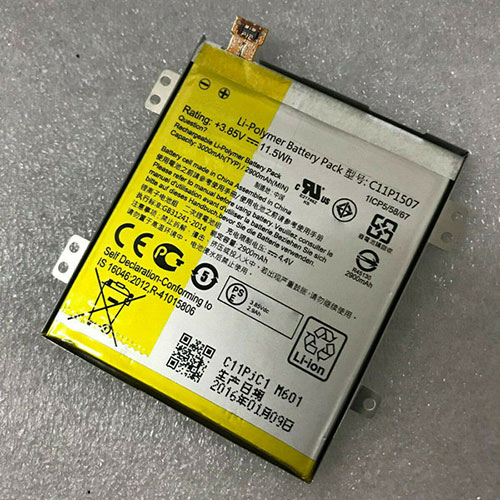
ASUS C11P1507 3.85V/4.4V 3000mAh/11.5Wh Replacement Battery for ASUS zenfone zoom ZX551ML Z00XS ZX551 Z00XSB

 This is a rechargeable ASUS 3.85V/4.4V 3000mAh/11.5Wh C11P1507 Battery . High quality and long lifetime, this C11P1507 battery lets you work seamlessly when you are on the move for business trips or vacations. All our Li-ion replacement batteries for ASUS C11P1507 Cell Phone have been tested and proven to match and/or exceed original battery performance and are 100% compatible with Original Manufacturer Specifications. Every piece of our replacement battery for ASUS C11P1507 has been tested and validated on ASUS systems to ensure the safety for your ASUS zenfone zoom ZX551ML Z00XS ZX551 Z00XSB. Increased capacity extends your workable hours at the office, in meetings or classes, or while traveling.

C11P1507 Replacement ASUS C11P1507 3.85V/4.4V 3000mAh/11.5Wh Battery. Buy cheap ASUS C11P1507 Replacement Battery from batteriestore.co.uk now. We have a strict testing process to ensure that your ordered products (like this battery for ASUS C11P1507) are functionally correct before they are packed and sent to you. And before placing an order please make sure that your old original ASUS C11P1507 battery's shape is same to our batteries' images as below. Free shipping and one year warranty!

ASUS C11P1507 3.85V/4.4V 3000mAh/11.5Wh Replacement Battery

Product Description:

Type :Li-ion
Brand : ASUS
Voltage : 3.85V/4.4V
Capacity :3000mAh/11.5Wh

TOP REASONS TO BUY FROM US

✔ Quality replacement battery with high Capacity
✔ Longer lifespan - thanks to modern Lithium technology without memory effect.
✔ Guaranteed safety: Protected against Short-circuits, Overheating and Overvoltage
✔ Each cell is separately tested in order to ensure professional standards are met.
✔ 100% compatible in replacing your original battery

Compatible Part Numbers:

C11P1507

Compatibile con i seguenti apparecchi :

ASUS zenfone zoom ZX551ML Z00XS ZX551 Z00XSB

How to care for your C11P1507 battery.

This is the Replacement ASUS C11P1507 Battery, You can extend the life of your C11P1507 battery significantly through the proper care and handling of your battery.

  • Any new C11P1507 battery should first be fully charged by leaving it plugged in overnight. Once a computer battery is fully charged it will no longer accept any more power. It is a common practice to leave Cell Phones plugged in after they have been turned off so that the battery has a full charge the next time you use your Cell Phone. It is probably fully charged within 5 hours.
  • A brand new C11P1507 Cell Phone battery is in a weakened condition since it has not been conditioned yet. Condition and break in your new battery by performing 5 partial discharge and recharge cycles the first week you receive your new battery.
  • Run on battery power without the AC adapter cord at least once a week to keep the C11P1507 battery cells active and at their peak potential. When your Cell Phone is plugged into the power adapter the battery goes to 'standby mode' while your Cell Phone runs directly on electricity from the wall outlet.
  • Even though your battery indicates it is fully charged, your battery will return to a weakened state again in a few months if it does not get some exercise through partial discharge and recharge cycles while running on battery power alone.
  • If your C11P1507 battery has not been actively used 2 months or more, condition your battery again with 5 partial discharge & recharge cycles to increase the batteries capacity and run time.
  • Don't run your battery all the way to empty. Your battery will have a longer service life if it receives shallow discharge and recharge cycles. Research has shown that the useful life of the battery will be much longer if you begin to recharge the battery any time before reaching 20% of the remaining power capacity. Recharging the C11P1507 battery even after 10 minutes will not reduce the battery's life span as lithium batteries do not have the memory effect which was found in older NiCad battery technology. NiCad batteries have never been used in Cell Phones, even the earliest models.
  • Never run your battery below the 2% critically low warning point. If your battery is run below this point it may not have enough energy to even recharge. This may effectively 'kill' your C11P1507 battery.

How can I extend your battery run time?

You can extend your C11P1507 battery run time by minimizing the power drain on your battery. A 3 cell battery will run approximately 2 to 2-1/2 hours when the battery is new. Even longer times can be achieved by minimizing the power consumption of your laptop. Here are the top ways to reduce your power consumption.

  • Avoid using the CD or DVD drive as the motor consumes a fair amount of power.
  • Turn off your wireless finder if you are not using the internet.
  • Remove any devices plugged into your USB ports or other ports.
  • Close out programs you are not using. By minimizing the load on your CPU, sometimes you can avoid having the cooling fan turn to its high speed mode.
  • Increase your memory to 4 Gigabytes. This creates less work for your hard drive. Data is temporarily written to your hard drive when your memory is not sufficient to hold all the data on the many pages you may be accessing.
  • Reduce the brightness of your laptop screen. This is the number one drain on your battery by far.

Prodotti popolari

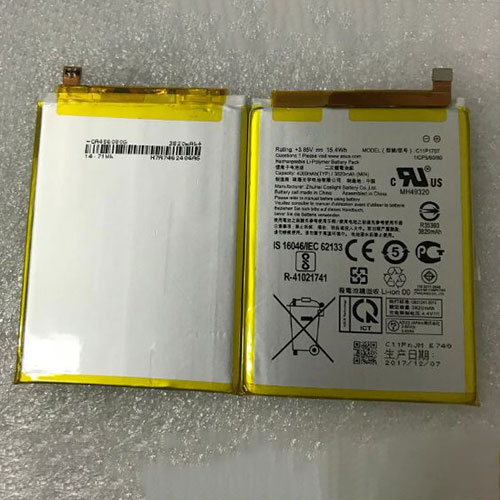
ASUS C11P1707 3.85V/4.4V 4000mAh Replacement Battery for ASUS ZenFone Max M1 ZB555KL Mobile Smart Phone

 This is a rechargeable ASUS 3.85V/4.4V 4000mAh C11P1707 Battery . High quality and long lifetime, this C11P1707 battery lets you work seamlessly when you are on the move for business trips or vacations. All our Li-ion replacement batteries for ASUS C11P1707 Cell Phone have been tested and proven to match and/or exceed original battery performance and are 100% compatible with Original Manufacturer Specifications. Every piece of our replacement battery for ASUS C11P1707 has been tested and validated on ASUS systems to ensure the safety for your ASUS ZenFone Max M1 ZB555KL Mobile Smart Phone. Increased capacity extends your workable hours at the office, in meetings or classes, or while traveling.

C11P1707 Replacement ASUS C11P1707 3.85V/4.4V 4000mAh Battery. Buy cheap ASUS C11P1707 Replacement Battery from batteriestore.co.uk now. We have a strict testing process to ensure that your ordered products (like this battery for ASUS C11P1707) are functionally correct before they are packed and sent to you. And before placing an order please make sure that your old original ASUS C11P1707 battery's shape is same to our batteries' images as below. Free shipping and one year warranty!

ASUS C11P1707 3.85V/4.4V 4000mAh Replacement Battery

Product Description:

Type :Li-ion
Brand : ASUS
Voltage : 3.85V/4.4V
Capacity :4000mAh

TOP REASONS TO BUY FROM US

✔ Quality replacement battery with high Capacity
✔ Longer lifespan - thanks to modern Lithium technology without memory effect.
✔ Guaranteed safety: Protected against Short-circuits, Overheating and Overvoltage
✔ Each cell is separately tested in order to ensure professional standards are met.
✔ 100% compatible in replacing your original battery

Compatible Part Numbers:

C11P1707

Compatibile con i seguenti apparecchi :

ASUS ZenFone Max M1 ZB555KL Mobile Smart Phone

How to care for your C11P1707 battery.

This is the Replacement ASUS C11P1707 Battery, You can extend the life of your C11P1707 battery significantly through the proper care and handling of your battery.

  • Any new C11P1707 battery should first be fully charged by leaving it plugged in overnight. Once a computer battery is fully charged it will no longer accept any more power. It is a common practice to leave Cell Phones plugged in after they have been turned off so that the battery has a full charge the next time you use your Cell Phone. It is probably fully charged within 5 hours.
  • A brand new C11P1707 Cell Phone battery is in a weakened condition since it has not been conditioned yet. Condition and break in your new battery by performing 5 partial discharge and recharge cycles the first week you receive your new battery.
  • Run on battery power without the AC adapter cord at least once a week to keep the C11P1707 battery cells active and at their peak potential. When your Cell Phone is plugged into the power adapter the battery goes to 'standby mode' while your Cell Phone runs directly on electricity from the wall outlet.
  • Even though your battery indicates it is fully charged, your battery will return to a weakened state again in a few months if it does not get some exercise through partial discharge and recharge cycles while running on battery power alone.
  • If your C11P1707 battery has not been actively used 2 months or more, condition your battery again with 5 partial discharge & recharge cycles to increase the batteries capacity and run time.
  • Don't run your battery all the way to empty. Your battery will have a longer service life if it receives shallow discharge and recharge cycles. Research has shown that the useful life of the battery will be much longer if you begin to recharge the battery any time before reaching 20% of the remaining power capacity. Recharging the C11P1707 battery even after 10 minutes will not reduce the battery's life span as lithium batteries do not have the memory effect which was found in older NiCad battery technology. NiCad batteries have never been used in Cell Phones, even the earliest models.
  • Never run your battery below the 2% critically low warning point. If your battery is run below this point it may not have enough energy to even recharge. This may effectively 'kill' your C11P1707 battery.

How can I extend your battery run time?

You can extend your C11P1707 battery run time by minimizing the power drain on your battery. A 3 cell battery will run approximately 2 to 2-1/2 hours when the battery is new. Even longer times can be achieved by minimizing the power consumption of your laptop. Here are the top ways to reduce your power consumption.

  • Avoid using the CD or DVD drive as the motor consumes a fair amount of power.
  • Turn off your wireless finder if you are not using the internet.
  • Remove any devices plugged into your USB ports or other ports.
  • Close out programs you are not using. By minimizing the load on your CPU, sometimes you can avoid having the cooling fan turn to its high speed mode.
  • Increase your memory to 4 Gigabytes. This creates less work for your hard drive. Data is temporarily written to your hard drive when your memory is not sufficient to hold all the data on the many pages you may be accessing.
  • Reduce the brightness of your laptop screen. This is the number one drain on your battery by far.

Prodotti popolari

Wednesday, 16 September 2020

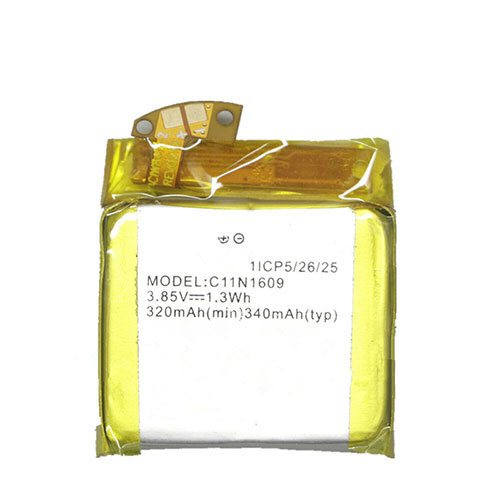
ASUS C11N1609 3.85V/4.4V 320mAh/1.3WH Replacement Battery for ASUS ZenWatch 3 (WI503Q) Smartwatch

This is a rechargeable ASUS 3.85V/4.4V 320mAh/1.3WH C11N1609 Battery . High quality and long lifetime, this C11N1609 battery lets you work seamlessly when you are on the move for business trips or vacations. All our Li-ion replacement batteries for ASUS C11N1609 Watch have been tested and proven to match and/or exceed original battery performance and are 100% compatible with Original Manufacturer Specifications. Every piece of our replacement battery for ASUS C11N1609 has been tested and validated on ASUS systems to ensure the safety for your ASUS ZenWatch 3 (WI503Q) Smartwatch. Increased capacity extends your workable hours at the office, in meetings or classes, or while traveling.
C11N1609 Replacement ASUS C11N1609 3.85V/4.4V 320mAh/1.3WH Battery. Buy cheap ASUS C11N1609 Replacement Battery from batteriestore.co.uk now. We have a strict testing process to ensure that your ordered products (like this battery for ASUS C11N1609) are functionally correct before they are packed and sent to you. And before placing an order please make sure that your old original ASUS C11N1609 battery's shape is same to our batteries' images as below. Free shipping and one year warranty!
ASUS C11N1609 3.85V/4.4V 320mAh/1.3WH Replacement Battery

Product Description:

Type :Li-ion
Brand : ASUS
Voltage : 3.85V/4.4V
Capacity :320mAh/1.3WH

TOP REASONS TO BUY FROM US

✔ Quality replacement battery with high Capacity
✔ Longer lifespan - thanks to modern Lithium technology without memory effect.
✔ Guaranteed safety: Protected against Short-circuits, Overheating and Overvoltage
✔ Each cell is separately tested in order to ensure professional standards are met.
✔ 100% compatible in replacing your original battery

Compatible Part Numbers:

C11N1609

Compatibile con i seguenti apparecchi :

ASUS ZenWatch 3 (WI503Q) Smartwatch

How to care for your C11N1609 battery.

This is the Replacement ASUS C11N1609 Battery, You can extend the life of your C11N1609 battery significantly through the proper care and handling of your battery.
  • Any new C11N1609 battery should first be fully charged by leaving it plugged in overnight. Once a computer battery is fully charged it will no longer accept any more power. It is a common practice to leave Watchs plugged in after they have been turned off so that the battery has a full charge the next time you use your Watch. It is probably fully charged within 5 hours.
  • A brand new C11N1609 Watch battery is in a weakened condition since it has not been conditioned yet. Condition and break in your new battery by performing 5 partial discharge and recharge cycles the first week you receive your new battery.
  • Run on battery power without the AC adapter cord at least once a week to keep the C11N1609 battery cells active and at their peak potential. When your Watch is plugged into the power adapter the battery goes to 'standby mode' while your Watch runs directly on electricity from the wall outlet.
  • Even though your battery indicates it is fully charged, your battery will return to a weakened state again in a few months if it does not get some exercise through partial discharge and recharge cycles while running on battery power alone.
  • If your C11N1609 battery has not been actively used 2 months or more, condition your battery again with 5 partial discharge & recharge cycles to increase the batteries capacity and run time.
  • Don't run your battery all the way to empty. Your battery will have a longer service life if it receives shallow discharge and recharge cycles. Research has shown that the useful life of the battery will be much longer if you begin to recharge the battery any time before reaching 20% of the remaining power capacity. Recharging the C11N1609 battery even after 10 minutes will not reduce the battery's life span as lithium batteries do not have the memory effect which was found in older NiCad battery technology. NiCad batteries have never been used in Watchs, even the earliest models.
  • Never run your battery below the 2% critically low warning point. If your battery is run below this point it may not have enough energy to even recharge. This may effectively 'kill' your C11N1609 battery.

How can I extend your battery run time?

You can extend your C11N1609 battery run time by minimizing the power drain on your battery. A 3 cell battery will run approximately 2 to 2-1/2 hours when the battery is new. Even longer times can be achieved by minimizing the power consumption of your laptop. Here are the top ways to reduce your power consumption.
  • Avoid using the CD or DVD drive as the motor consumes a fair amount of power.
  • Turn off your wireless finder if you are not using the internet.
  • Remove any devices plugged into your USB ports or other ports.
  • Close out programs you are not using. By minimizing the load on your CPU, sometimes you can avoid having the cooling fan turn to its high speed mode.
  • Increase your memory to 4 Gigabytes. This creates less work for your hard drive. Data is temporarily written to your hard drive when your memory is not sufficient to hold all the data on the many pages you may be accessing.
  • Reduce the brightness of your laptop screen. This is the number one drain on your battery by far.

Prodotti popolari

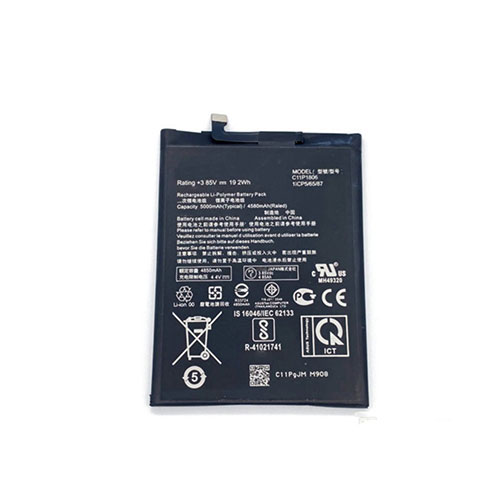
ASUS C11P1806 3.85V/4.4V 4580mAh/19.2WH Replacement Battery for Asus ZenFone 6 ZS630KL I01WD

This is a rechargeable ASUS 3.85V/4.4V 4580mAh/19.2WH C11P1806 Battery . High quality and long lifetime, this C11P1806 battery lets you work seamlessly when you are on the move for business trips or vacations. All our Li-ion replacement batteries for ASUS C11P1806 Cell Phone have been tested and proven to match and/or exceed original battery performance and are 100% compatible with Original Manufacturer Specifications. Every piece of our replacement battery for ASUS C11P1806 has been tested and validated on ASUS systems to ensure the safety for your Asus ZenFone 6 ZS630KL I01WD. Increased capacity extends your workable hours at the office, in meetings or classes, or while traveling.
C11P1806 Replacement ASUS C11P1806 3.85V/4.4V 4580mAh/19.2WH Battery. Buy cheap ASUS C11P1806 Replacement Battery from batteriestore.co.uk now. We have a strict testing process to ensure that your ordered products (like this battery for ASUS C11P1806) are functionally correct before they are packed and sent to you. And before placing an order please make sure that your old original ASUS C11P1806 battery's shape is same to our batteries' images as below. Free shipping and one year warranty!
ASUS C11P1806 3.85V/4.4V 4580mAh/19.2WH Replacement Battery

Product Description:

Type :Li-ion
Brand : ASUS
Voltage : 3.85V/4.4V
Capacity :4580mAh/19.2WH

TOP REASONS TO BUY FROM US

✔ Quality replacement battery with high Capacity
✔ Longer lifespan - thanks to modern Lithium technology without memory effect.
✔ Guaranteed safety: Protected against Short-circuits, Overheating and Overvoltage
✔ Each cell is separately tested in order to ensure professional standards are met.
✔ 100% compatible in replacing your original battery

Compatible Part Numbers:

C11P1806

Compatibile con i seguenti apparecchi :

Asus ZenFone6 ZS630KL

How to care for your C11P1806 battery.

This is the Replacement ASUS C11P1806 Battery, You can extend the life of your C11P1806 battery significantly through the proper care and handling of your battery.
  • Any new C11P1806 battery should first be fully charged by leaving it plugged in overnight. Once a computer battery is fully charged it will no longer accept any more power. It is a common practice to leave Cell Phones plugged in after they have been turned off so that the battery has a full charge the next time you use your Cell Phone. It is probably fully charged within 5 hours.
  • A brand new C11P1806 Cell Phone battery is in a weakened condition since it has not been conditioned yet. Condition and break in your new battery by performing 5 partial discharge and recharge cycles the first week you receive your new battery.
  • Run on battery power without the AC adapter cord at least once a week to keep the C11P1806 battery cells active and at their peak potential. When your Cell Phone is plugged into the power adapter the battery goes to 'standby mode' while your Cell Phone runs directly on electricity from the wall outlet.
  • Even though your battery indicates it is fully charged, your battery will return to a weakened state again in a few months if it does not get some exercise through partial discharge and recharge cycles while running on battery power alone.
  • If your C11P1806 battery has not been actively used 2 months or more, condition your battery again with 5 partial discharge & recharge cycles to increase the batteries capacity and run time.
  • Don't run your battery all the way to empty. Your battery will have a longer service life if it receives shallow discharge and recharge cycles. Research has shown that the useful life of the battery will be much longer if you begin to recharge the battery any time before reaching 20% of the remaining power capacity. Recharging the C11P1806 battery even after 10 minutes will not reduce the battery's life span as lithium batteries do not have the memory effect which was found in older NiCad battery technology. NiCad batteries have never been used in Cell Phones, even the earliest models.
  • Never run your battery below the 2% critically low warning point. If your battery is run below this point it may not have enough energy to even recharge. This may effectively 'kill' your C11P1806 battery.

How can I extend your battery run time?

You can extend your C11P1806 battery run time by minimizing the power drain on your battery. A 3 cell battery will run approximately 2 to 2-1/2 hours when the battery is new. Even longer times can be achieved by minimizing the power consumption of your laptop. Here are the top ways to reduce your power consumption.
  • Avoid using the CD or DVD drive as the motor consumes a fair amount of power.
  • Turn off your wireless finder if you are not using the internet.
  • Remove any devices plugged into your USB ports or other ports.
  • Close out programs you are not using. By minimizing the load on your CPU, sometimes you can avoid having the cooling fan turn to its high speed mode.
  • Increase your memory to 4 Gigabytes. This creates less work for your hard drive. Data is temporarily written to your hard drive when your memory is not sufficient to hold all the data on the many pages you may be accessing.
  • Reduce the brightness of your laptop screen. This is the number one drain on your battery by far.

Prodotti popolari

Wednesday, 18 December 2019

Genuine 078592 Battery For Bose S1 Pro Multi-Position PA Speaker

  • Specifications:
  • Primary OEM Brand: Bose
  • Capacity:5500MAH/79.2wh
  • Voltage: 14.4V/16.8V
  • Chemistry: Li-ion
  • Item Number: BOS19M250_Spe_Oth

Part Numbers:
Compatible Model Numbers:
Bose S1 Pro Multi-Position PA Speaker 789175-0010
✔ Quality replacement battery with high Capacity
✔ Longer lifespan - thanks to modern Lithium technology without memory effect.
✔ Guaranteed safety: Protected against Short-circuits, Overheating and Overvoltage
✔ Each cell is separately tested in order to ensure professional standards are met.
✔ 100% compatible in replacing your original battery
Welcom to batteriestore.co.uk!We are a manufacturer representative and wholesaler that specializes in Laptop Batteries and Laptop AC Adapters . We have tested Batteries from virtually every manufacturer on the market. Our commitment is to provide our customers with the price/performance available on the market.
Please read the product details carefully to ensure that the brand, model and compatibility of the laptop battery you purchased meets your needs. If you need help, please contact us. Email: info@batteriestore.co.uk.